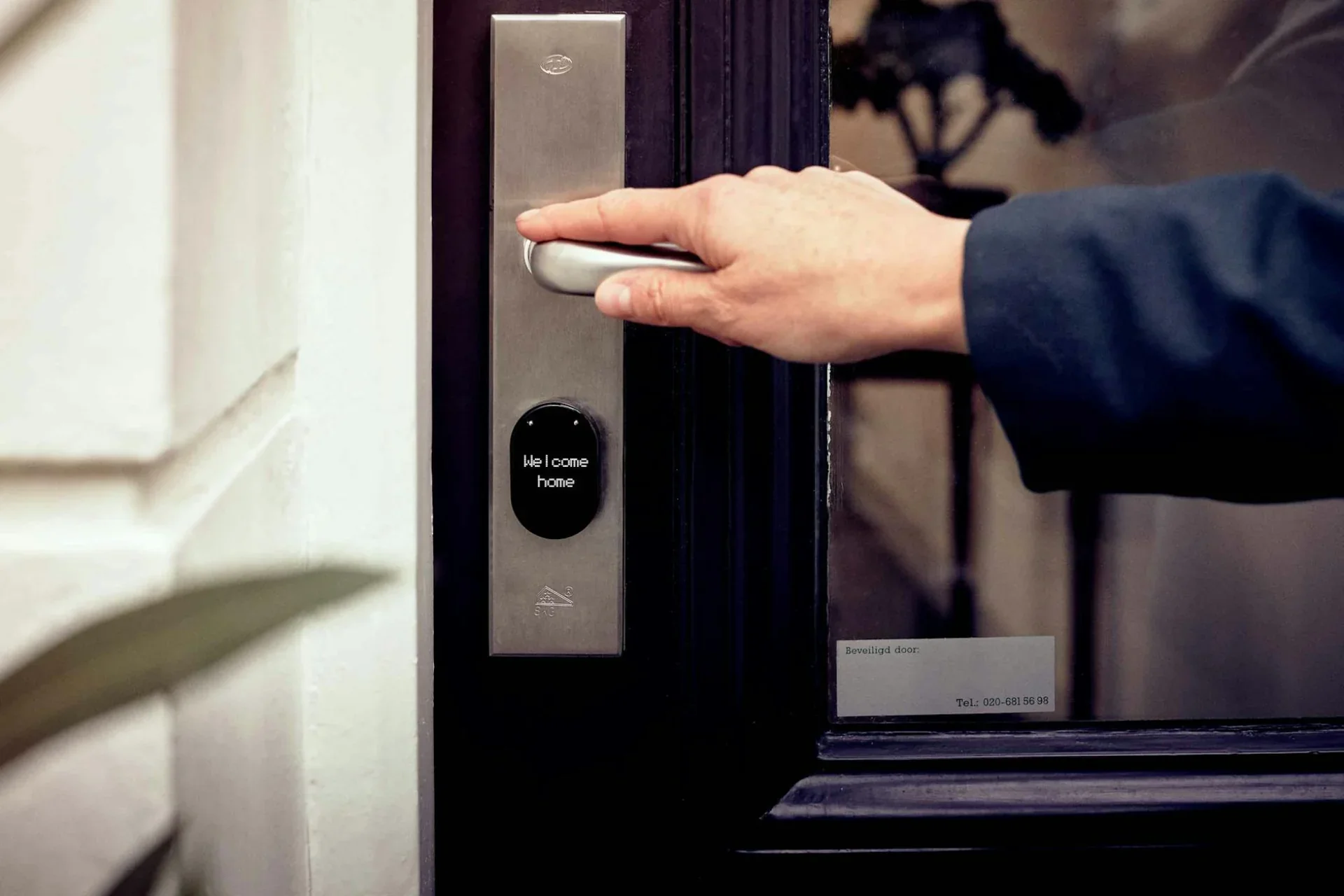
Mobile Credential Access Control Systems
Response Time: Same day consultation

Mobile Credential Access Control Systems

Modern mobile access control installation in Austin. Turn smartphones into credentials using Bluetooth and NFC. Remote provisioning, touchless entry, future-ready security.

Frictionless Entry

Your phone is already in your pocket. Why fish for keys?

Remote Provisioning

Email a key to a new employee instantly. No physical handover needed.

Bluetooth & NFC

Works with iPhone, Android, and Apple Watch. Twist to unlock or auto-detect.

Cloud Managed

Revoke access in seconds from your own phone dashboard.

Professional Mobile Access Control in Austin

Mobile access control transforms smartphones into sophisticated credentials. Forget about printing plastic badges - send a secure key directly to your employee’s phone in seconds.

South Austin Locksmith designs and installs enterprise mobile access systems - from standalone Bluetooth units to cloud-managed ecosystems.

Why Mobile Access Control?

The Evolution Beyond Plastic

Traditional cards have limitations. Mobile phones solve them.

The Cost of Physical Credential

Physical cards cost $2-$8 each and require manual distribution. Lost cards create security risks and administrative headaches.

Mobile Advantages

🛡️

Instant Provisioning

Hire remotely? Email the key. Employee has access before day one.

Secure
🛡️

Touchless Entry

Walk up to the door and it unlocks automatically via Bluetooth.

Secure
🛡️

Visitor Management

Text temporary keys to contractors or guests that auto-expire.

Secure

Mobile Access Technologies

Bluetooth Low Energy (BLE)

  • How it Works: Phone communicates with reader from 3-10 feet away.
  • Experience: Hands-free. Keep your phone in your pocket.
  • Best For: Employee entrances, parking garages.

NFC (Near Field Communication)

  • How it Works: Tap phone to reader (like Apple Pay).
  • Experience: Deliberate tap. often uses Apple Wallet / Google Pay.
  • Best For: High security areas.

Our Installation Process

1

Mobile Readiness Assessment

We verify your internet connectivity and user device mix (iOS/Android).

2

System Design & cloud Setup

We design the hardware layer and configure your cloud management portal.

3

Professional Installation

Technicians install mobile-ready readers and controllers.

4

Onboarding & Training

We help you issue your first batch of mobile credentials to employees.

Common Applications

Corporate Offices
Hands-free entry for employees. Text-based visitor passes for guests.
Co-Working Spaces
Issue keys instantly to new members. Auto-revoke when membership ends.
Multi-Tenant Buildings
Tenants manage their own suite access. Landlord manages lobby/elevator access.
Education & Housing
Students use phones for dorm access. Parents get temporary move-in keys.

Why Choose South Austin Locksmith?

Mobile Experts

We are certified in leading mobile platforms like Genea, Brivo Mobile, Openpath, and Avigilon Alta.

Cloud Integrators

We connect your access control to HR systems (Workday, BambooHR) for automated user lifecycle management.

Pricing

  • Standalone BLE Door: $650-$950 installed
  • Cloud Fees: ~$5-$15 per door/month
  • Enterprise System: Custom quote

Call (512) 777-0915 to modernize your access control.

What's Included

Bluetooth Low Energy (BLE) smartphone access
NFC smartphone credentials
Hands-free automatic unlock
Twist-to-unlock manual mode
Remote credential provisioning
Instant credential revocation
Cloud-based management
Multi-factor authentication support

Benefits

  • No physical credentials to issue or manage
  • Instant remote credential delivery
  • Revoke access immediately from anywhere
  • Temporary visitor credentials via text/email
  • Future-proof smartphone integration
  • User analytics and behavioral insights

Frequently Asked Questions

How does smartphone access control work?
Mobile access control uses two primary technologies: (1) Bluetooth Low Energy (BLE): Your phone communicates with door reader via Bluetooth. Walk up and reader automatically detects your phone, unlocking the door. Or use 'twist-to-unlock' - twist phone near reader to unlock manually. (2) NFC/Mobile Wallet: Store credential in Apple Wallet or Google Pay. Tap phone to reader like a contactless payment. Both methods turn your smartphone into a secure credential controlled by mobile app and cloud backend. When employee leaves, administrator instantly deactivates their phone credential remotely - no physical card to collect.
What if employees don't have smartphones or battery dies?
Mobile access systems are designed with multiple fallback options: (1) Hybrid readers: Most mobile readers also accept traditional cards/fobs. Issue phone credentials to smartphone users, physical cards to others. (2) PIN backup: Many mobile readers include integrated keypad for PIN code entry as backup. (3) Bluetooth works when locked: BLE credentials work even if phone screen is locked - doesn't require opening app. Battery usage is minimal. (4) Low-battery mode: Some systems detect low battery and work in power-saving mode. (5) Dead battery: Employee uses PIN or gets temporary help from security/admin. For critical access points, we recommend hybrid readers accepting both mobile and physical credentials.
Is mobile access secure compared to physical cards?
Mobile credentials are significantly MORE secure than traditional cards: (1) Encryption: BLE and NFC use military-grade encryption (AES-128 or higher). (2) Secure element: Credentials stored in phone's secure hardware (same used for Apple Pay). (3) Multi-factor: Combine phone credential + biometric (fingerprint/face) + PIN for three-factor authentication. (4) Remote wipe: Lost phone? Instantly deactivate credential remotely. Can also remote-wipe if device is compromised. (5) No cloning: Unlike proximity cards easily copied, mobile credentials use cryptographic protocols preventing cloning. (6) Audit trails: Know exact phone that accessed door, not just which credential was used. (7) Anomaly detection: Cloud platforms detect unusual patterns (accessing at odd hours, from unusual locations).
Can visitors get temporary mobile credentials?
Yes! This is a major advantage of mobile systems: (1) Pre-scheduled visitors: Administrator emails/texts temporary credential link before visit. Visitor clicks link, credential loads to their phone. Valid only during scheduled window. (2) On-demand visitors: Receptionist issues temporary credential while visitor sits in lobby. Credential automatically expires after visit. (3) Contractors: Issue multi-day or multi-week credentials with specific access areas and times. Auto-expire when project ends. (4) No hardware needed: Visitor doesn't need special app in many systems - credential works via text link or mobile website. (5) Contactless check-in: Eliminates visitor log sheets and physical badges. This dramatically improves visitor experience while increasing security and reducing administrative burden.
What about privacy - does the system track employee locations?
Mobile access systems can be configured with strong privacy protections: (1) Access-only mode: System logs door access events only - no continuous location tracking. (2) Local Bluetooth: BLE readers detect phones only within 10-20 feet. Not building-wide tracking. (3) Opt-in analytics: Advanced features like occupancy sensing require explicit user consent. (4) Data minimization: Configure system to log minimal data - just access granted/denied, not location history. (5) User controls: Employees can disable credential when off-duty (still trackable? No - credential inactive). However, some organizations want occupancy analytics or emergency mustering - we design systems balancing security, operations, and privacy based on your policies and local regulations.
Do we need special infrastructure or does it work with existing access control?
Mobile readers integrate with most modern access control systems: (1) Standalone: Mobile readers with built-in controller - no other infrastructure needed. Cloud-managed via internet connection. (2) Retrofit: Mobile readers replace existing card readers using same wiring (Wiegand interface). Integrates with existing access control panel. (3) Hybrid controllers: New access control systems with native mobile + card support. (4) Cloud migration: Move entire access control to cloud platform with mobile-first approach. We assess your current system and recommend path requiring minimal infrastructure changes. Most installations can add mobile credentials without replacing entire access control system - just upgrade readers and add mobile platform.

Pricing

Starting at

$650

Average cost

$1950

Price range

$650 - $ 6500

Prices vary based on reader type (BLE vs. NFC), number of doors, cloud service requirements, and integration complexity. Single-door mobile readers start at $650. Multi-door cloud-managed systems range $3,000-$6,500+. Includes readers, mobile app licensing, and installation. Ongoing cloud fees may apply.

Call for Quote

Why Choose Us?

  • Licensed & Insured
  • Fast Response Times
  • Upfront Pricing
  • Professional Technicians
  • Satisfaction Guaranteed

Ready to Get Started?

Call now for immediate assistance or request service online